AUDIO ONLY
Up to 4 audio players
- Minimum
- Core i3 4th gen or equivalent · 4 GB RAM · DirectX 11 graphics · HDD supported · 1366 × 768
- Recommended
- Core i5 or equivalent · 8 GB RAM · SSD · 1920 × 1080 · dedicated audio interface for professional use

PROSENIQ CUE CONTROL
Audio, video, images and MIDI Time Code in one focused cue workflow. Control Cue Control from the desktop — or from anywhere in the venue with Webremote.
FOCUSED SHOW WORKFLOW
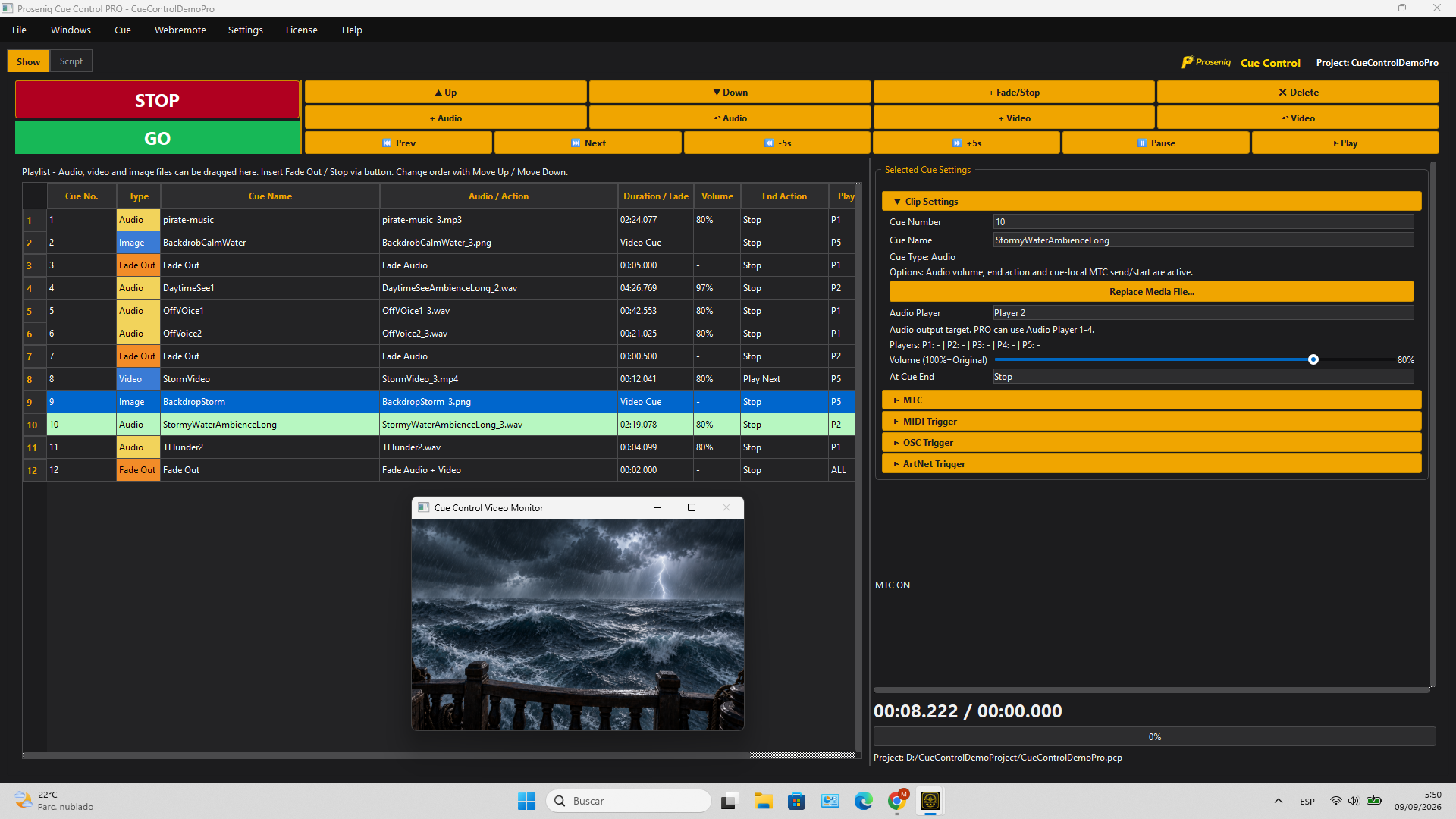
Cue Control is built around the way a show actually runs: one cue after another. Music, ambience, voice-over, video, still images and fades stay together in one readable list.
Audio · Video · Images · Fades · Script · Remote Triggers

SCRIPT MODE
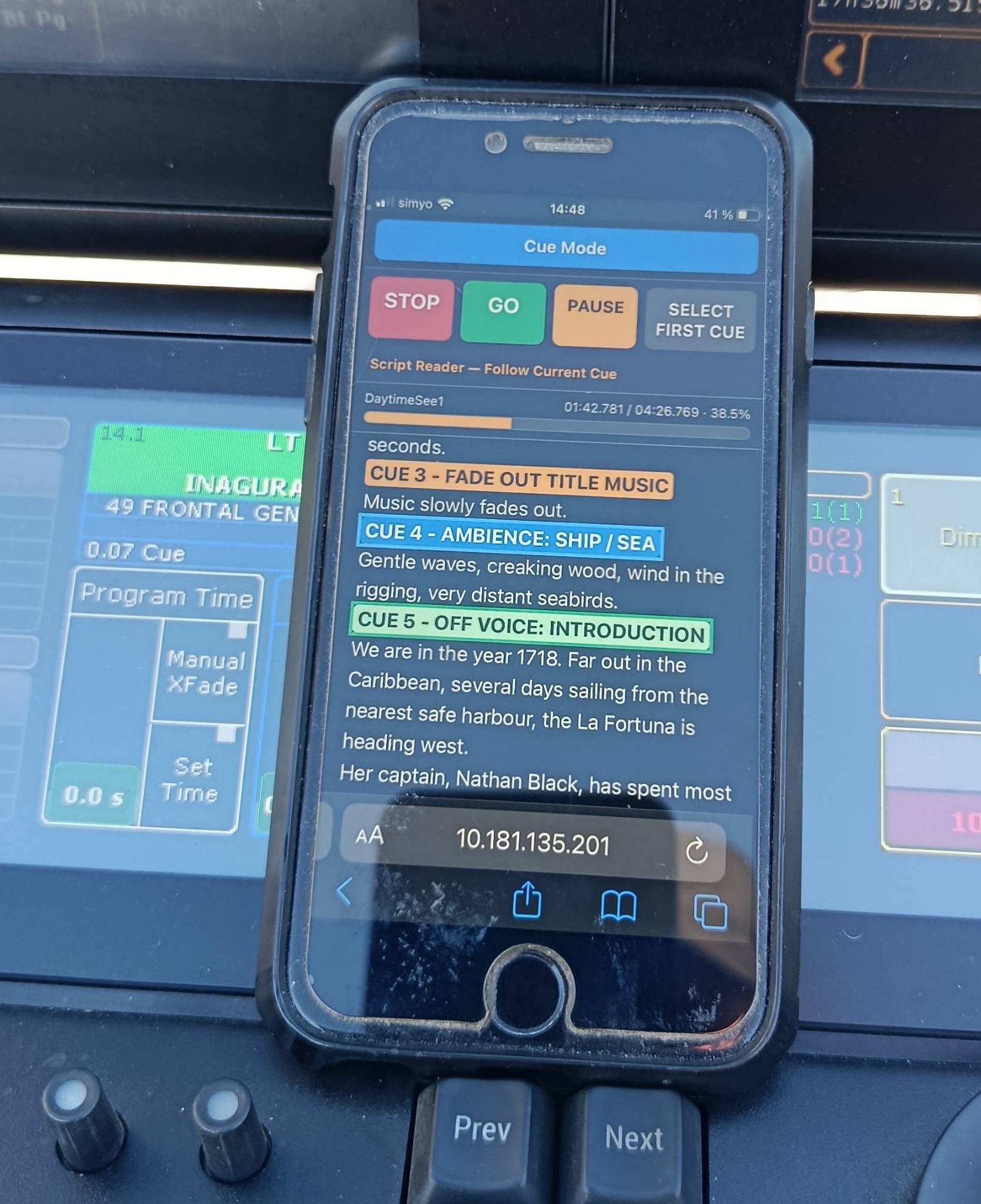
Import an existing script or create and edit it directly in Cue Control. Mark positions in the text, insert cues exactly where they belong and trigger them directly from the script during the show.
The same script can be followed on the main computer or through Webremote, so operators can read along, track the running show and fire cues from the context of the script itself.
Import or create scripts · Insert cues directly into the text · Follow and trigger cues from desktop or Webremote
WEBREMOTE
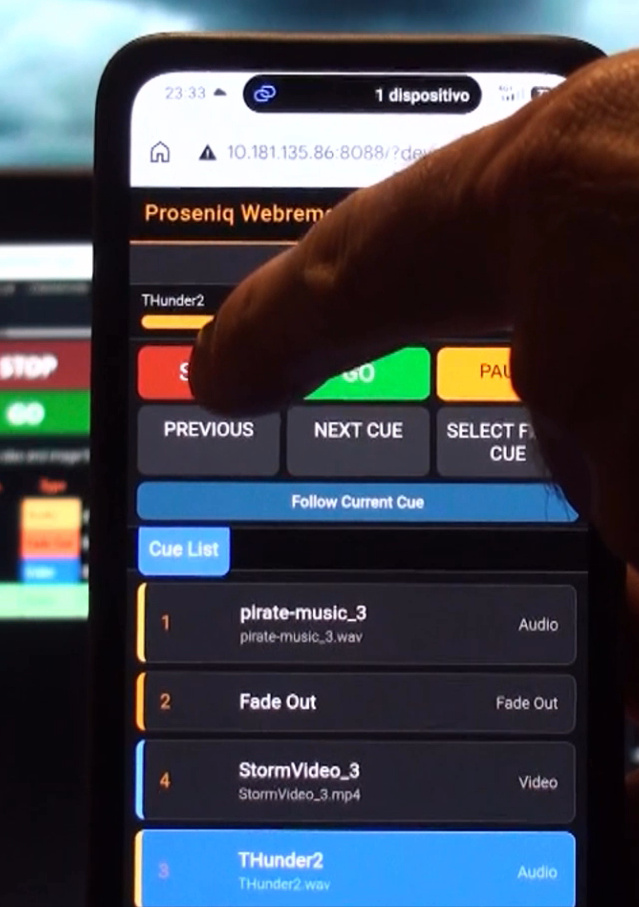
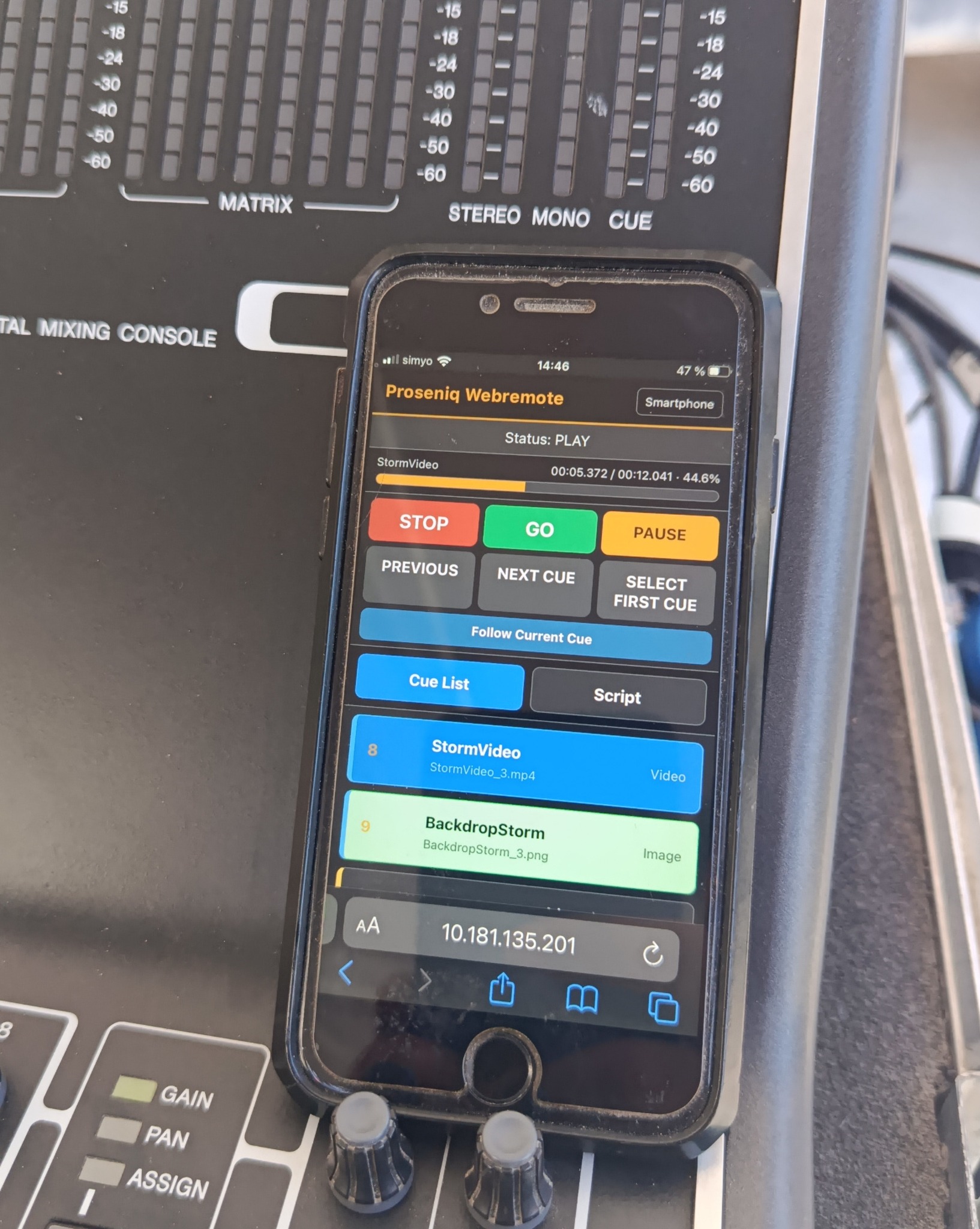
Access Cue Control from any browser-connected device in the network. Run cues from the stage, follow the script in real time and let several operators access the show simultaneously.
MIDI TIME CODE
Send MIDI Time Code directly with audio playback for synchronized lighting, video and other show systems.
Per-cue MTC control · Start-time override · Synchronized playback
CHOOSE YOUR EDITION
LE is the free base version. DEMO lets you test the major PRO functions but blocks project loading, saving, Save As and export. PRO is the unrestricted production edition.
VAT and other applicable sales taxes are calculated and collected by Gumroad at checkout. The final price depends on the buyer's location.
| Feature | PRO | DEMO | LE |
|---|---|---|---|
| Project | |||
| New project | Yes | Yes | Yes |
| Load project | Yes | No | Yes |
| Save / Save As | Yes | No | Yes |
| Export project incl. media | Yes | No | Yes |
| Check Media | Yes | Yes | Yes |
| Cue workflow | |||
| Audio cues | Yes | Yes | Yes |
| Parallel audio players | 4 | 4 | 1 |
| Video cues | Yes | Yes | Yes |
| Image cues | Yes | Yes | Yes |
| Fade Out / Stop cue | Yes | Yes | Yes |
| At Cue End: Stop / Play Next / Repeat | Yes | Yes | Yes |
| Sort cue list by cue number | Yes | Yes | Yes |
| Renumber cue list | Yes | Yes | Yes |
| Interactive playback progress / seek | Audio + Video | Audio + Video | Audio + Video |
| Video | |||
| Separate video window / second display | Yes | Yes | Yes |
| Video loop | Yes | Yes | Yes |
| Video volume | Yes | Yes | Yes |
| Advanced video output: position / scale / crop | Yes | Yes | No |
| Script / Remote | |||
| Script view in main program | Yes | Yes | Yes |
| Webremote | Yes | Yes | Yes |
| Script view in Webremote | Yes | Yes | No |
| Floating Control Window | Yes | Yes | Yes |
| MTC / Trigger | |||
| MTC with audio playback | Yes | Yes | No |
| MTC per audio cue on/off + Start-Time Override | Yes | Yes | No |
| MIDI Cue Trigger / MIDI Learn | Yes | Yes | No |
| MIDI Transport Trigger | Yes | Yes | No |
| OSC Cue Trigger | Yes | Yes | No |
| OSC Transport Trigger | Yes | Yes | No |
| Art-Net Cue Trigger (Remote Input) | Yes | Yes | No |
| Art-Net Transport Trigger (Remote Input) | Yes | Yes | No |
| Edition | |||
| Start / edition screen | No with active PRO license | Yes | Yes |
| Sidebar advertising banner | No | No | Yes |
Art-Net in the current product line is used exclusively as remote input for cue and transport triggers.
SYSTEM REQUIREMENTS
Cue Control is designed to run on standard Windows PCs and laptops. Actual performance depends on simultaneous media playback, video resolution and codec, storage speed, graphics hardware and driver quality.
AUDIO ONLY
AUDIO + SD VIDEO
AUDIO + FULL HD VIDEO
PROSENIQ CUE CONTROL
Download Cue Control and get started, or unlock the full PRO edition for production use.